
Zapier, Make and n8n automation
Building and maintaining workflows across your tools, choosing the right platform for the job, and moving workflows between platforms when costs or limits demand it.
Roles · AI & Automation
Someone who finds the copy-paste work in your business and automates it, with AI where it actually helps. Every workflow comes with documentation and failure alerts your team can follow.
AI & Automation
AI work splits into different jobs. Some people connect the tools you already pay for so work moves on its own. Others write code around models, build voice agents that answer calls, or teach software to read images. This page is about the first kind. The others have their own pages:
Writes production code around language models and your data.
Builds and tunes agents that handle phone calls.
Builds systems that detect, read and classify what's in images and video.
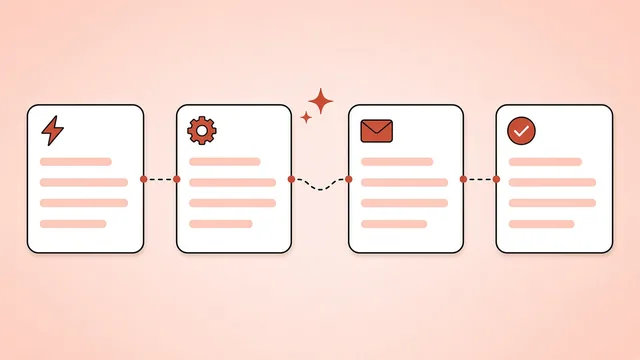
Most teams copy data between tools every day: leads from forms into the CRM, invoices from email into accounting, summaries from calls into tickets. An AI workflow specialist maps those processes, automates the repetitive steps, and adds AI for the parts that need reading, sorting or drafting. Each workflow gets documentation and an alert for when it fails.
What they do for you
Tools they work in
Strong answer: they pick the step with the most volume and the least judgment, estimate the time saved, and leave the judgment calls to people.
Strong answer: check the error log, fix the cause, replay the failed runs without creating duplicates, and add an alert so it's caught sooner next time.
Strong answer: clear categories, a tested prompt with examples, a confidence threshold that sends unclear cases to a person, and a regular review of mistakes.
Strong answer: n8n for self-hosting, complex logic, data control or cost at high volume; Zapier for speed and ease when the team will maintain it themselves.
Strong answer: give it the source data, limit it to that data, ask for structured output, test against known cases and keep a human check on anything customer-facing.
Strong answer: a written description of the trigger, steps and owner, plus a screenshot of the run history and the alert setup.
Building and maintaining workflows across your tools, choosing the right platform for the job, and moving workflows between platforms when costs or limits demand it.
Assistants that answer questions from your documents, and agents that carry out multi-step tasks such as researching a lead, drafting a reply or updating records, with limits on what they're allowed to do.
Lead routing, follow-up sequences, deal stage updates, onboarding checklists and reporting in HubSpot, Salesforce, Pipedrive or Airtable.
Writing, testing and versioning prompts for the AI steps in your workflows, with example sets that show whether a change made things better or worse.
We settle the scope, the platforms involved, your overlap hours and the reporting line. For this role: the processes eating the most time, the tools involved, and who should own the workflows once they're live.
We test each candidate's builds against your brief and run background and reference checks before you meet them. You run the interviews and choose.
Your specialist is given logins to the tools in scope and a first process to automate, and we follow up once the first workflow is live.
Most automation searches finish within a few weeks. People with both no-code depth and solid prompt work are in demand, so mention it early if you need both.
Each of our ways to hire works for an AI workflow specialist, from ongoing automation work to a set build period. You choose, and the price follows the role, its scope and how you hire. We can go through what each option involves when we speak.
Swipe to see more →
| Task | You | JiveTalent |
|---|---|---|
| Which processes get automated, and where AI may act | Own | – |
| Workflows, documentation and failure alerts | Approve before go-live | Your specialist builds and maintains them; check-ins look at the value each workflow is delivering |
Your specialist picks one with you, based on your volume, the complexity of your processes, data rules and who will maintain it. Many teams use more than one.
The hours go into the brief at the start, along with the overlap your team needs for handovers and reviews, so every candidate is hired for them.
It can be, with the right setup: business accounts with data-retention controls, only the data each step needs, and no sensitive data where your policies forbid it. Your specialist should be able to explain the data flow of every workflow.
Talk to your account lead. We go through the problem with you and your specialist, and agree how to put it right.
Every workflow should alert someone when it fails. Your specialist monitors those alerts, fixes the cause and replays anything that was missed.
You own both. Workflows live in your Zapier, Make or n8n workspace and your AI provider accounts, and any custom code steps are stored with them, so everything keeps running under your control if your specialist moves on.
If the work connects existing tools, it's this role. If you're building AI features into your own software, you need an AI engineer, and we recruit for that role too.
Yes. Managed Project Delivery builds and delivers systems end to end.
The client app tracks and reports their time, which keeps the hours visible, and the workflow documentation shows what each automation does.
Book a call. We'll agree the brief for your AI workflow specialist and lay out the ways to hire.