
Product UI designers
Screens and flows for web and mobile apps, SaaS dashboards and internal tools, designed in Figma with every state included.
Roles · Design & Creative
Research with your users, flows that cut steps, and Figma files your developers can build from without guessing. Your designer stays with the product as it changes.
When users get lost in your product, the fix is rarely a new color. It's a clearer flow, better labels, fewer choices on the screen and states nobody designed for. A UI/UX designer talks to users, maps where they get stuck, prototypes the fix and tests it before your developers spend a sprint on it.
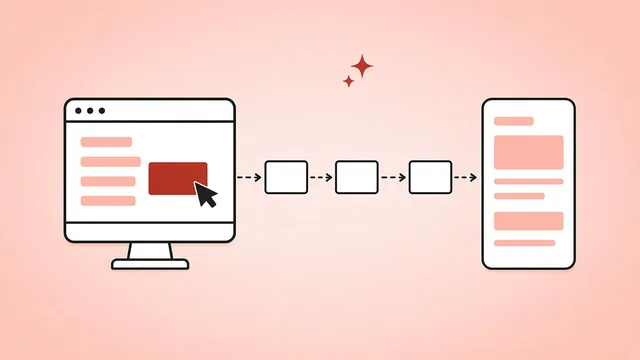
What they do for you
Tools they work in
Strong answer: what they learned, from whom, what they changed and how they knew it worked afterward.
Strong answer: look at the data and recordings, talk to people who quit, question which steps are needed at all, then prototype and test a shorter path.
Strong answer: components from the design system, all states and breakpoints shown, notes on behavior, and time set aside for questions during the build.
Strong answer: rarely, with a reason, and by proposing a change to the system instead of a one-off.
Screens and flows for web and mobile apps, SaaS dashboards and internal tools, designed in Figma with every state included.
User interviews, usability tests, surveys and analytics reviews that turn into a short list of changes worth making.
Low-fidelity wireframes to agree the flow, then clickable Figma or Framer prototypes to test it.
Components, variables and documentation that keep the product consistent and speed up both design and development.
Marketing sites and landing pages designed to match the product, ready to build in Webflow, WordPress or your own stack.
We agree the work, the tools, the hours you share and who they report to. For this role: your product and users, your design tools, whether a design system exists, and two or three screens or flows you'd like improved first.
We screen a wide pool for every role and introduce only the few who fit your brief. We source, screen and test candidates against your brief, and run background and reference checks. You interview and decide.
They start on the work in the brief, and we stay in contact once they've begun.
Product designers with a strong portfolio are in steady supply, so most of these searches fall within our normal range. Deep research or design-system leadership can add a little time. We usually start the search in South Africa.
UI/UX designers are hired through all of the options here, and you choose the one you prefer. Ask about any of them when we talk. Compare the arrangements on ways to hire.
Swipe to see more →
| Task | You | JiveTalent |
|---|---|---|
| Product priorities and final design sign-off | Own | – |
| Research, flows, Figma files and the design system | Review | Done by your designer; we check how the work with your product and engineering teams is going |
Both, if you want both. Some products need regular research and others mostly need execution, so tell us the balance in your brief.
The brief sets the hours and the overlap with your team before the search starts, so every candidate is hired for them.
You do. Work lives in your Figma team from the start, including components and prototypes.
Talk to your account lead. We go through it with you and agree a way forward.
Yes. Experience across iOS, Android and web is common, and designs follow each platform's guidelines. Put mobile in the brief so we screen for it.
Yes. They design within your brand guidelines and flag where the guidelines don't yet cover product use.
Their hours are tracked in the client app and reported there for you to see.
Book a call. We'll agree the brief for your UI/UX designer and talk you through the ways to hire.